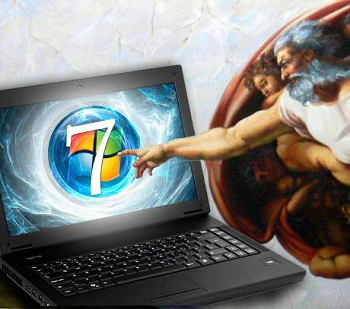
If you want to access all operating system's control under one roof on Windows 7, then GodMode is for you.
The folder will provide you with shortcuts to nearly anything you can possibly want to find on your computer, and serves as a great way to repair a computer or just click around and discover what Windows 7 is really capable of.
Step 1 & 2: Create a folder by right clicking on your desktop, select New and choose Folder option.

GodMode.{ED7BA470-8E54-465E-825C-99712043E01C}

Once that is done, the folder's icon will change to resemble a control panel.

Double click the icon and enjoy the huge list of shortcuts.

The trick is also said to work in Windows Vista, although some are warning that although it works fine in 32-bit versions of Vista, it can cause 64-bit versions of that operating system to crash.

You can also create special folders where ever you want them in Windows XP. All the steps are same except the string.
Note: When creating the folder remember to use the whole string, both the name and the funny numbers.
Note: When creating the folder remember to use the whole string, both the name and the funny numbers.

Control Panel.{21EC2020-3AEA-1069-A2DD-08002B30309D}
Printers.{2227A280-3AEA-1069-A2DE-08002B30309D}
Recycle Bin.{645FF040-5081-101B-9F08-00AA002F954E}
My Computer.{20D04FE0-3AEA-1069-A2D8-08002B30309D}
Scheduled Tasks.{D6277990-4C6A-11CF-8D87-00AA0060F5BF}
My Documents.{450d8fba-ad25-11d0-98a8-0800361b1103}
Internet Explorer.{871C5380-42A0-1069-A2EA-08002B30309D}
Briefcase.{85BBD920-42A0-1069-A2E4-08002B30309D}
Dial-Up Networking.{992CFFA0-F557-101A-88EC-00DD010CCC48}
ActiveX Cache Folder.{88C6C381-2E85-11D0-94DE-444553540000}
Offline Web Pages.{F5175861-2688-11d0-9C5E-00AA00A45957}
Network Neighborhood.{208D2C60-3AEA-1069-A2D7-08002B30309D}
Printers.{2227A280-3AEA-1069-A2DE-08002B30309D}
Recycle Bin.{645FF040-5081-101B-9F08-00AA002F954E}
My Computer.{20D04FE0-3AEA-1069-A2D8-08002B30309D}
Scheduled Tasks.{D6277990-4C6A-11CF-8D87-00AA0060F5BF}
My Documents.{450d8fba-ad25-11d0-98a8-0800361b1103}
Internet Explorer.{871C5380-42A0-1069-A2EA-08002B30309D}
Briefcase.{85BBD920-42A0-1069-A2E4-08002B30309D}
Dial-Up Networking.{992CFFA0-F557-101A-88EC-00DD010CCC48}
ActiveX Cache Folder.{88C6C381-2E85-11D0-94DE-444553540000}
Offline Web Pages.{F5175861-2688-11d0-9C5E-00AA00A45957}
Network Neighborhood.{208D2C60-3AEA-1069-A2D7-08002B30309D}
Once you have created My Computer and Control Panel, you will not be able to delete them. Attempting to delete them will result in system crash.